Install Telegram Prime in 5 minutes. In this article, we’ll walk you through the process in detail.
To use Telegram Prime, your system must meet the following requirements:
- Windows versions 8–11, as well as Windows Server 2012 and later.
- The system must be 64-bit.
- Microsoft .NET Framework version 4.7.2 or higher is required.
- The CPU must have at least 2 cores.
- The recommended amount of RAM is 8 GB; the minimum is 4 GB.
- A stable internet connection is required.
- We recommend using the Google Chrome browser, as the program works most effectively with it. The amount of system resources consumed by the program depends on the number of concurrently running threads. Please note that Telegram Gods does not support Linux/UNIX, macOS, or Windows 7.
Preparation:
If you are using one of the unsupported operating systems or devices on which our product does not run, you can resolve this issue by renting a cloud VPS/VDS machine. One of the most suitable options is VPSilo. The vast majority of our customers use cloud VPS/VDS machines to run our software. This offers certain advantages, namely: Stable internet speed and connection, which is a fundamental factor. The ability to connect from any device (including a cell phone) and any location—meaning you’re not tied to a single workstation. A dedicated environment for specific tasks, whose operation won’t be affected by other programs or processes installed on your main computer. And, of course, a location different from your actual physical location, which won’t be subject to restrictions that may exist in your country. A Windows-based VPS/VDS with 2 cores, 8 GB of RAM, and a 60 GB hard drive is usually sufficient for performing the program’s basic tasks. Keep in mind that heavier workloads will require more processing power to handle them.
Download:
Installer link:
Installation:
To install Telegram Prime, you need to download the installer and follow the installation instructions. If you are downloading the beta version, pay attention to the folder names. We recommend disabling your antivirus, Defender, and Windows UAC before installation and while using the program. We guarantee that any antivirus alerts are false positives and pose no threat to your data. Once launched, the installer will download all necessary files and modules. Wait for the download to complete and monitor the program’s console in its separate window without closing it. The first launch may take some time. After installation, a browser window will open automatically, prompting you to enter a key to activate the program.
Screenshots:
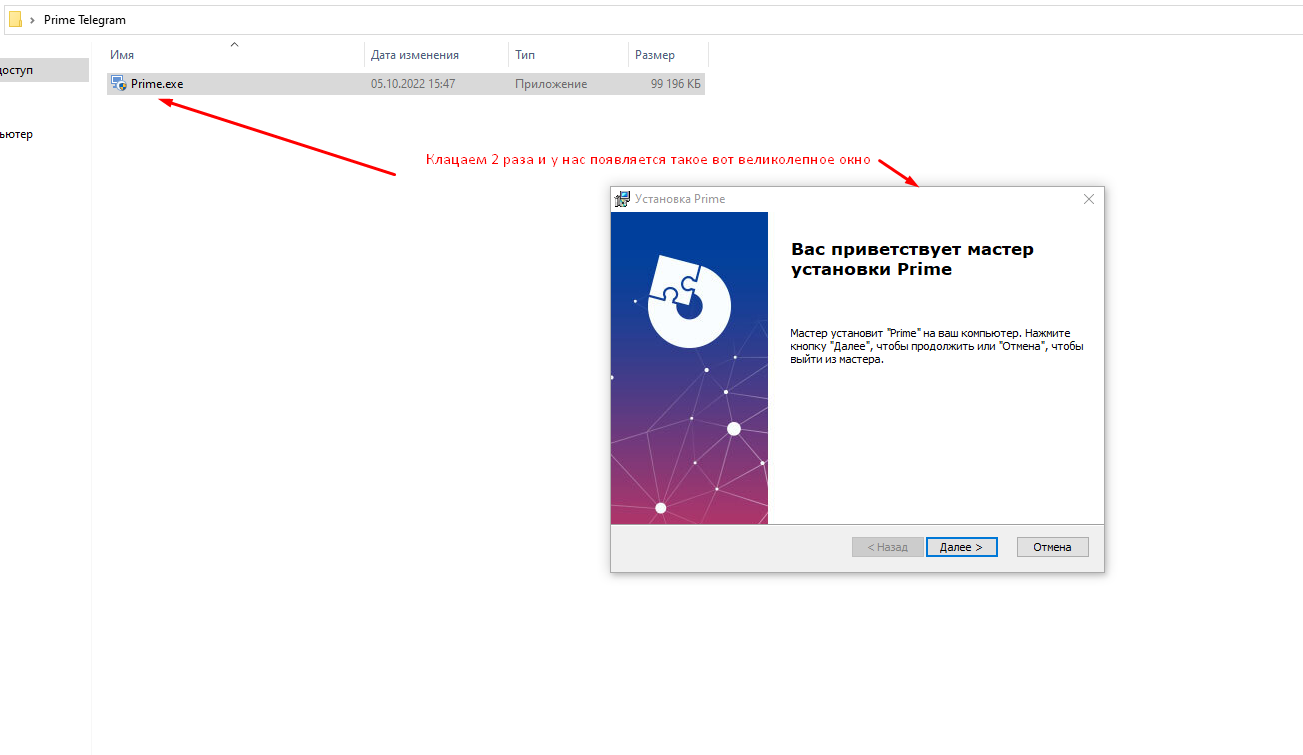


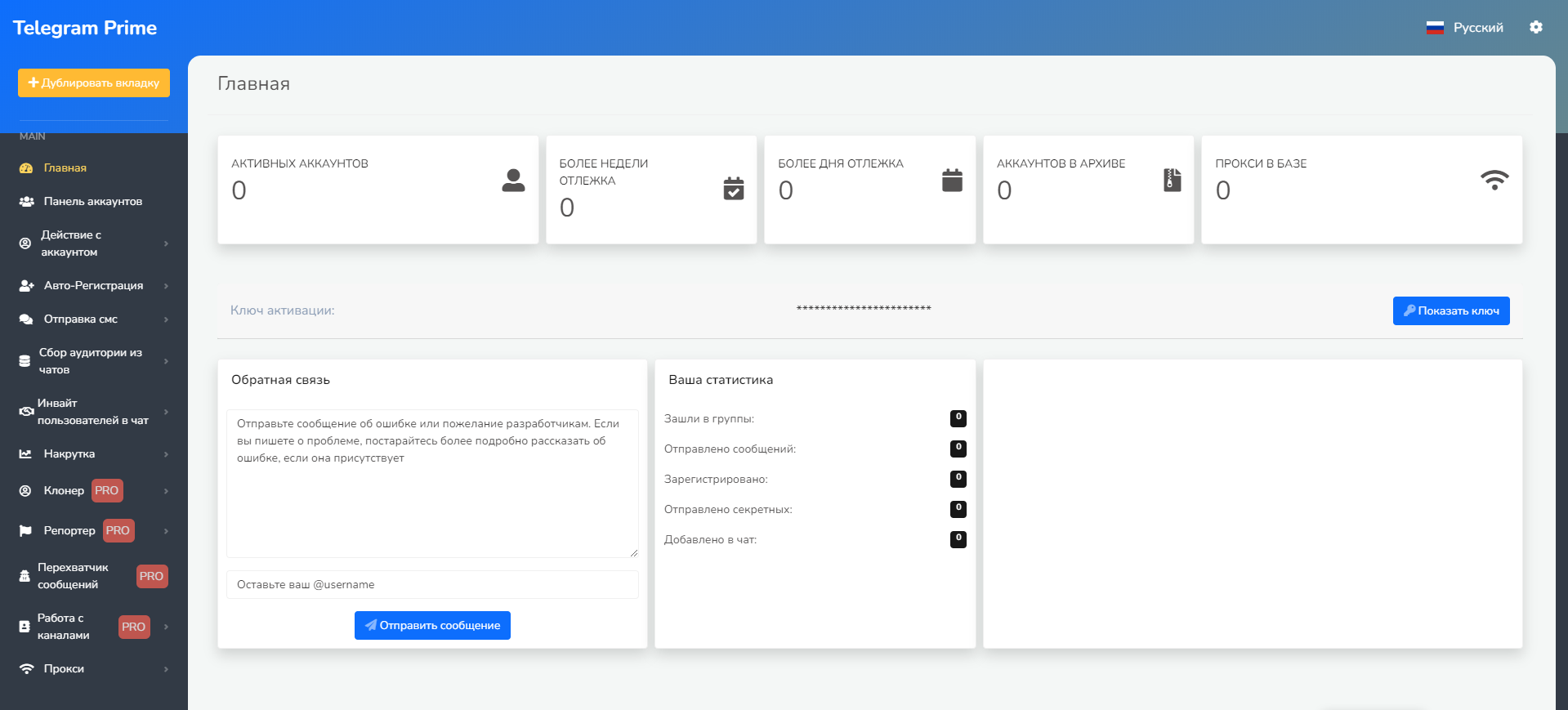
Activation:
To request an activation key, please contact us via the contact form on our website or send us a message on Telegram.
Tips:
Below is a brief list of what you need to use Telegram Prime:
- A computer or a VPS/VDS cloud server that meets the minimum system requirements listed above.
- Reliable proxies. If you don’t have any, you can purchase them from us (contact the seller).
- Accounts in .session + .json format (contact the seller). If you haven’t yet checked out the knowledge base on our website, we invite you to do so here. We also invite you to visit our forum, where you’ll find many guides and examples of how to use Telegram Prime, as well as the opportunity to interact with our community. For your convenience, we’ve provided a direct link to a quick list of manuals. We also invite you to watch examples of how to use the program on our YouTube channel. Support (live chat) is available directly within the Telegram PRIME interface. Video tutorial:
I recommend watching the video and following the instructions in the video tutorial exactly as shown. If you still have questions, you can always contact us using the contact form below—be sure to include your Telegram username.