Setting Up Avatars in Telegram Prime
As automation in Telegram grows in popularity, more and more users are starting to use Telegram Prime. That’s why we continue to publish helpful guides that are especially useful for beginners.
In this guide, we’ll walk you through how to set up avatars in bulk on Telegram Prime and properly configure your accounts.
Why Set Profile Pictures in Telegram
A profile picture is one of the key factors in building trust in an account. Profiles without a picture are more likely to raise suspicion and are more likely to be restricted.
Using profile pictures allows you to:
- increase trust in your accounts
- increase the effectiveness of your messaging campaigns
- reduce the likelihood of being blocked
- make profiles seem more “lively”
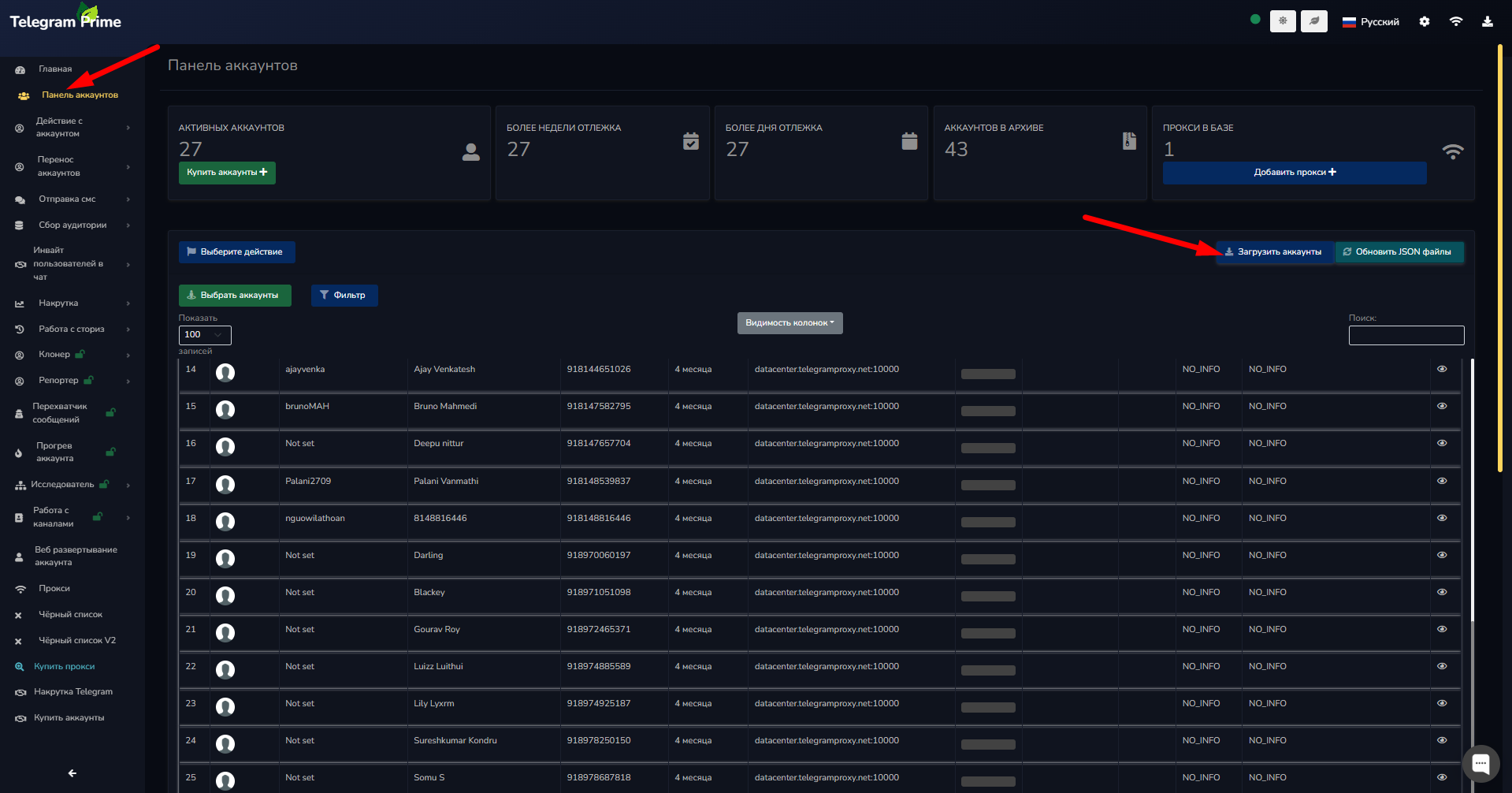
Step 1. Go to the Accounts section
To begin, open the tab:
"Accounts Panel" in Telegram Prime
Before you begin, make sure that:
- proxies have already been added
- the accounts have been successfully loaded
This is important for all program features to work correctly.
Step 2. Selecting Accounts
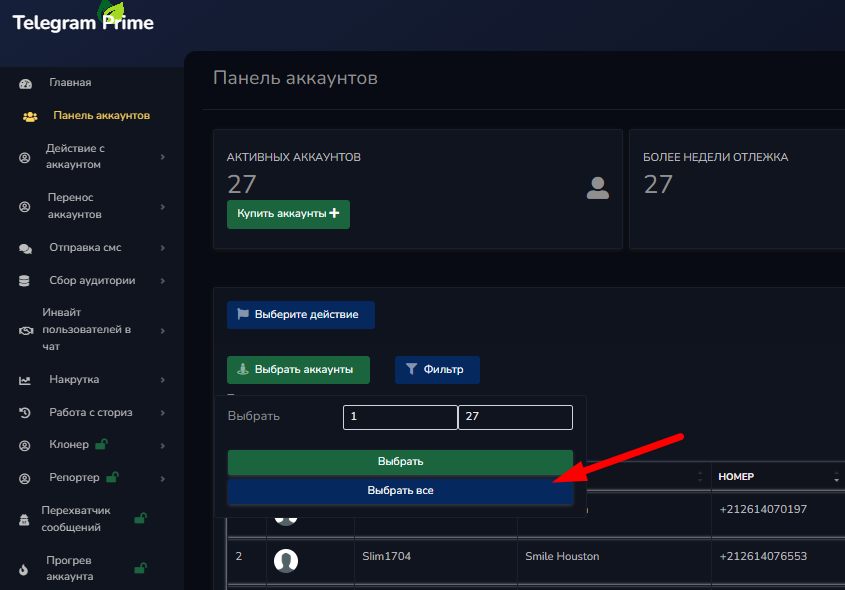
Next, you need to select the accounts for which photos will be set.
Available options:
- manual selection (by clicking)
- selecting a range of accounts
This is convenient when working with a large number of profiles.
Step 3. Setting Avatars
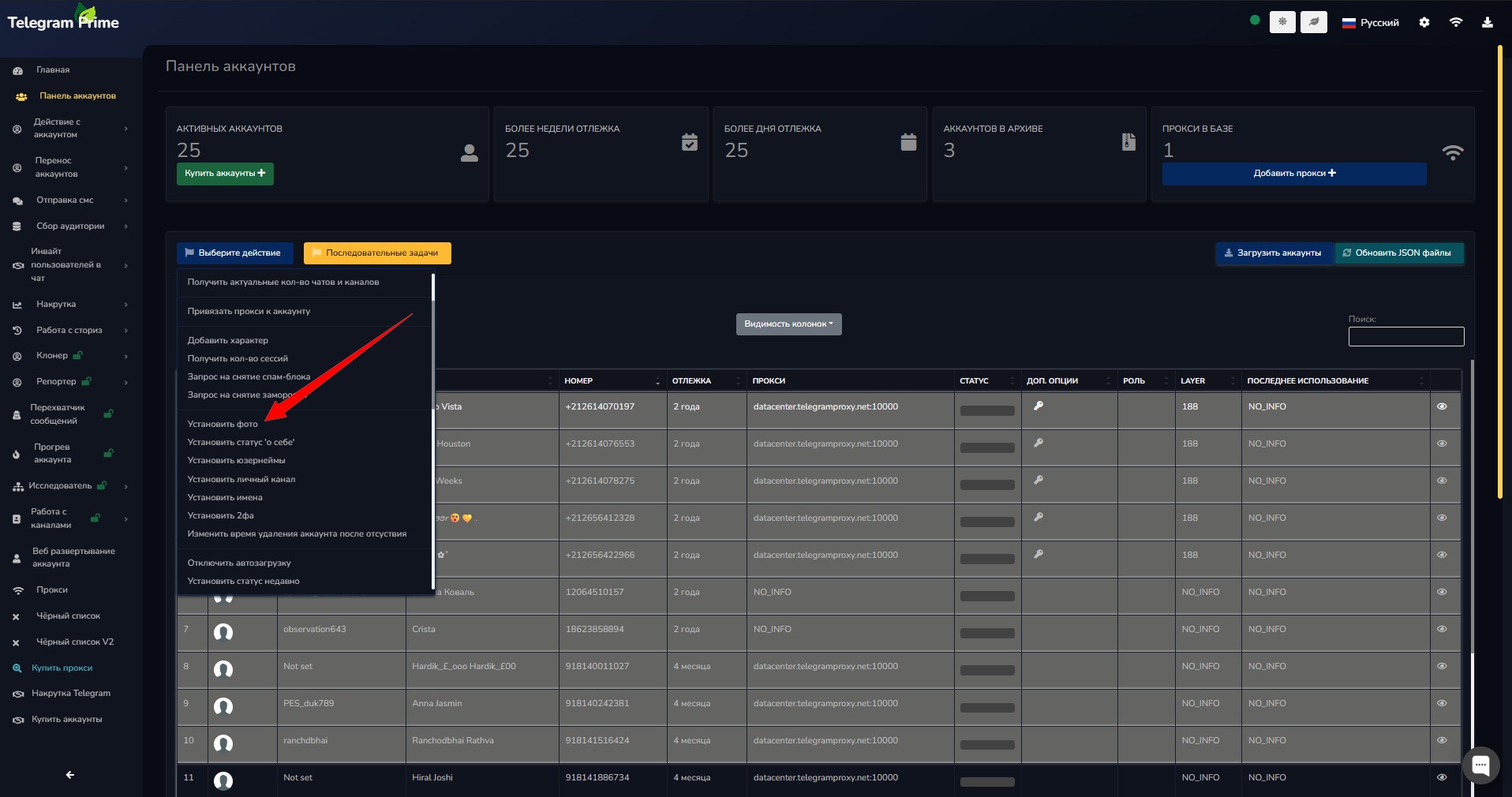
After selecting the accounts:
Tap "Select Action" → "Set Photo"
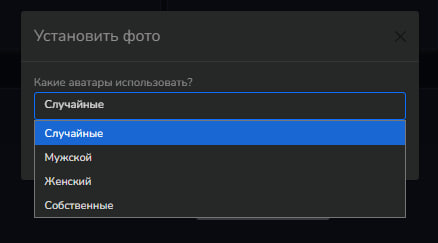
Telegram Prime offers two options:
1. Your own images
You upload a photo from your computer.
2. Automatic setup (recommended)
The program automatically selects unique avatars for each account.
Special feature:
Telegram Prime takes the account’s gender into account, ensuring that the avatars look as natural as possible.
Step 4. Start the process
After selecting a method, start the installation.
The program will automatically:
- distribute the images
- set the profile pictures
- update account information
Step 5. Checking the Results
Once complete:
- thumbnails will appear in the account manager
- accounts will be marked as having an avatar
- All changes will be applied automatically
Benefits of Using Telegram Prime
By using Telegram Prime, you get:
- Bulk avatar setup
- Unique profiles