Hi! Today I’m going to talk about a module that will help you keep track of topics that interest you across multiple chat rooms at the same time and highlight the information you need and find useful. I’ll also share a few tips to help you get the most out of this module.
I want to note right away that for the module to work most effectively, it’s best to install it on a server so it can run 24/7 and provide only the information you need. On this site, you can find a suitable dedicated server to install the module on—Settings—and a suitable dedicated server for Telegram Prime.
So, let’s get started!
Our “Spy” module, or “Telegram Prime Message Interceptor” (it’s called “wonderful” because it’s one of the most profitable, considering its effectiveness), is located right here:
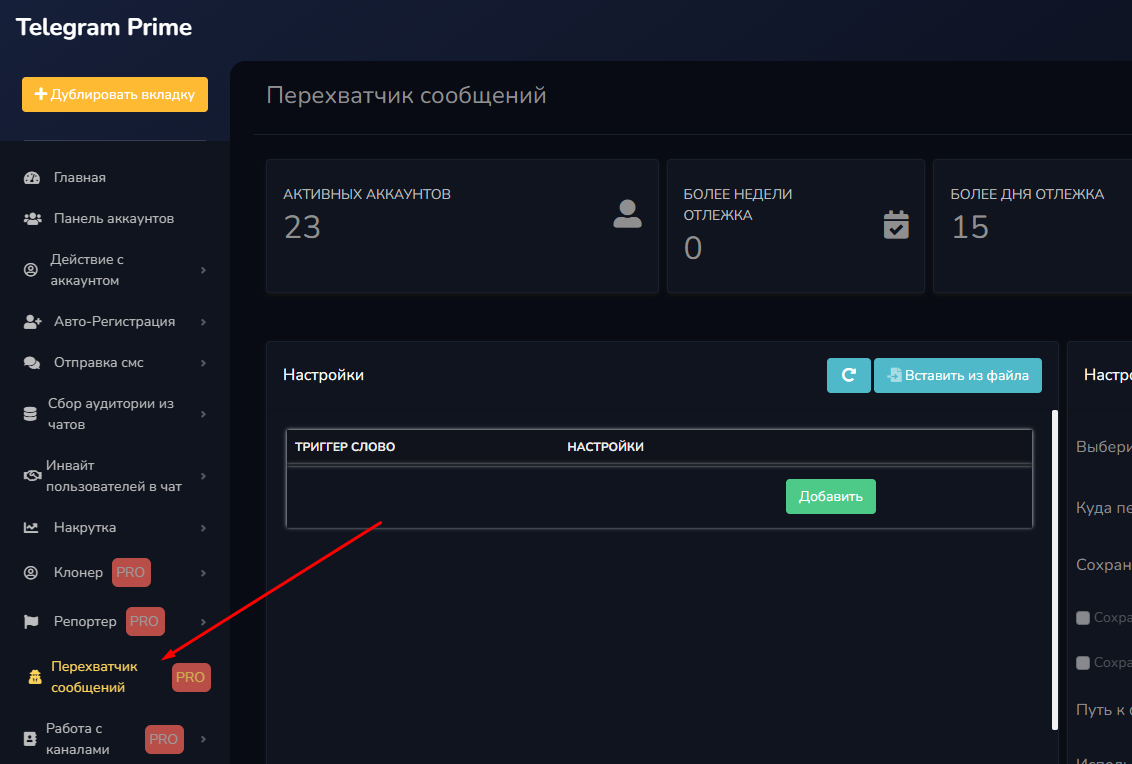
Here you’ll find options for tracking various parameters, such as keywords, phrases, usernames, and much more. The module also lets you sort and filter messages so you can quickly find the information you need.
As you can see, the “Spy” module is a powerful tool for anyone who wants to monitor topics of interest on Telegram. I hope my tips will help you get the most out of it!
Let’s take a closer look at the features of our favorite module (which I personally really like, since it helps boost sales without spamming—thanks to well-chosen triggers and the sales team’s ability to persuade)
But before we begin, we need to examine every button in detail 😭 It’s not my favorite thing to do, but a task from the team is a task.
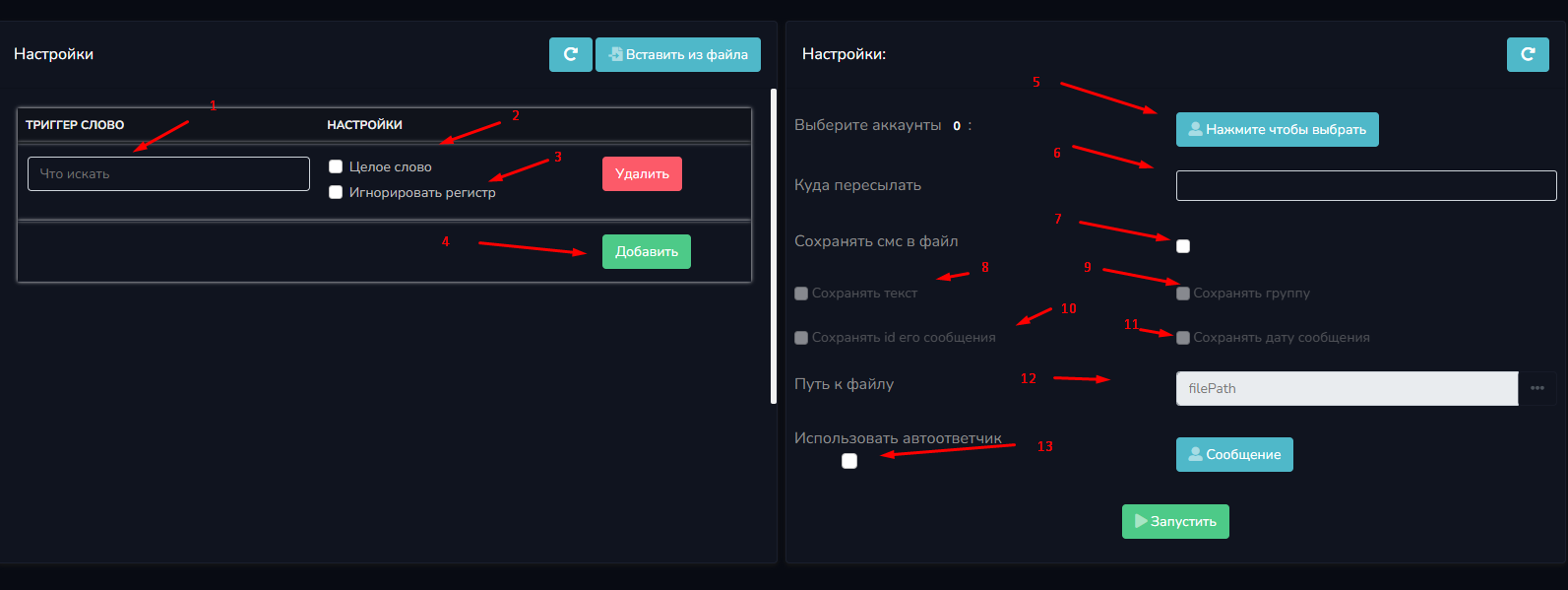
A trigger word is a keyword that the program uses to monitor messages and forward them to a chat, private message, or channel—depending on where you want to receive the information. It’s important to understand that a trigger word can be either an exact match or part of another word. For example, if you select the trigger word “house,” the program will forward only those messages that contain the word “house” in the context of “I bought a house.” If you do not check the “exact match” box, the program will also forward messages containing words derived from that trigger word.
Ignoring case is another way to account for word formation in the trigger word. If the “Ignore Case” checkbox is not selected, the program will not forward messages where the trigger word is misspelled, such as “hOuse.”
You can also add multiple trigger words and select the accounts to be monitored. One of the most interesting features is choosing where to forward the information. You can select a direct message (not the best option), as well as a public or private chat. If you want to forward information to a private chat, you must first add everyone who will receive the information to that chat and then specify the chat’s name. This way, we can configure our module to receive only the information we need.


This way, we can collect all necessary and useful messages in a single chat, which is very convenient if you’re working with an entire sales department and want to distribute messages among employees.
Saving SMS messages to a file allows you to keep copies of your messages that were forwarded to the victim, which can be very useful in unexpected situations.
The file will store the text of messages forwarded by the Interceptor. In addition, the file will include the group from which the message was sent (if sent from a private group, the group name will be listed instead of a link), the message ID in the chat for easy searching, and the date and time the message was forwarded.
You must specify the file where all of the above data will be saved.
We can also use an auto-responder that will reply only to those who message it, rather than to those who left a trigger message.
To start monitoring, you must first subscribe to the chats from which we’ll receive messages. You also need to subscribe to the chat where the monitoring results will be sent. Finally, you should configure the trigger words and other settings according to your needs.
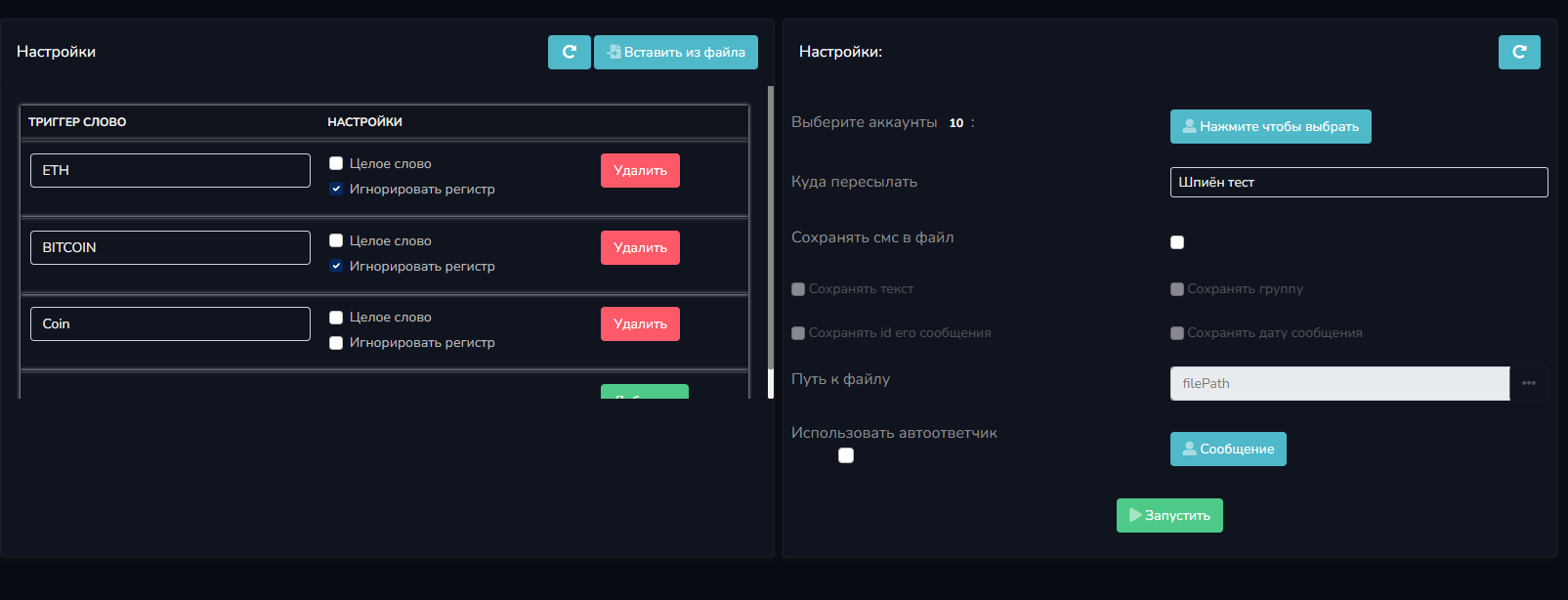
Here—I’ve set up the triggers and specified where to send the messages. I’m conducting an experiment across 10 cryptocurrency chat rooms in different languages.
If anyone needs trigger words, I’ve added them to avoid nonsensical messages. Now let’s start the process and just wait.
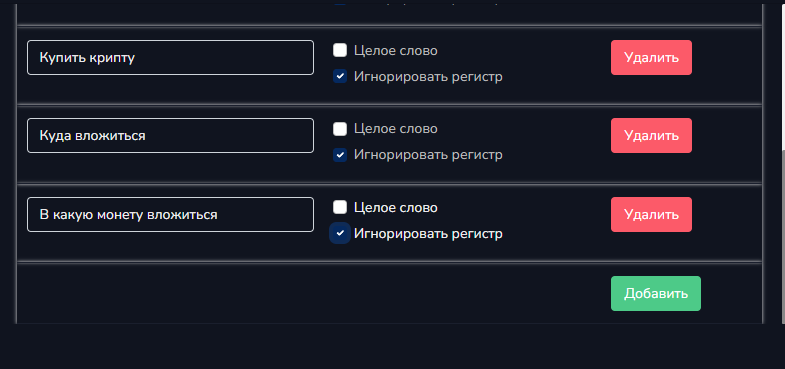
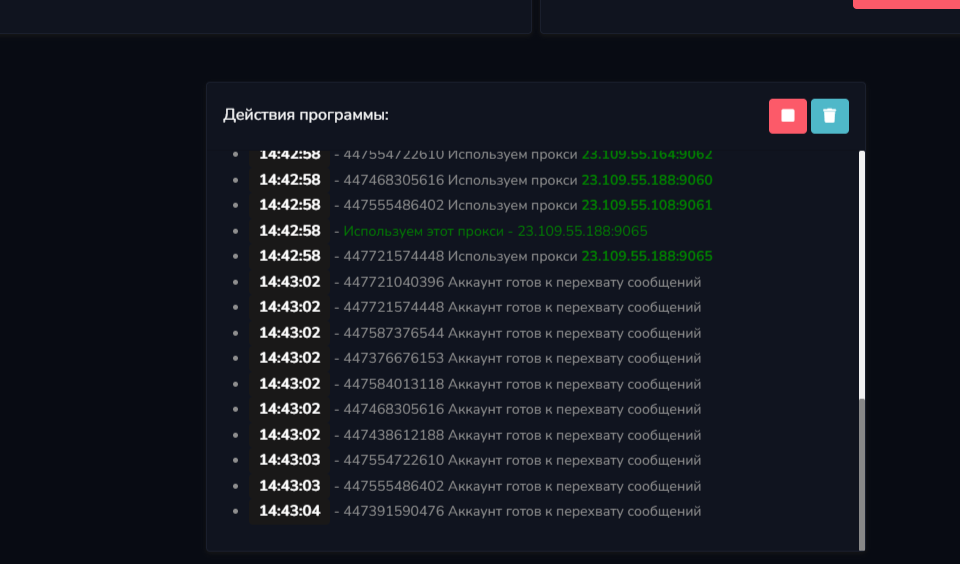
While we wait, I’ll share my tips for using the spy tool. Try to select as many relevant phrases and words as possible in advance to intercept messages that could be profitable. Use one account per chat to avoid overlaps and duplicate messages. Collect as many relevant words as possible, even those only indirectly related to the chat topic. It’s best to forward messages to a private chat to avoid being flooded with messages and to allow your personal sales team to process them without interruption.
Accounts with spam filters are ideal for this type of activity, since they can send messages to private chats—which isn’t prohibited for them. This approach breathes new life into your accounts.
While I was waiting, my ISP decided to change my IP address, and my proxy stopped working. I had to repopulate the keyword list, but now message delivery has resumed.
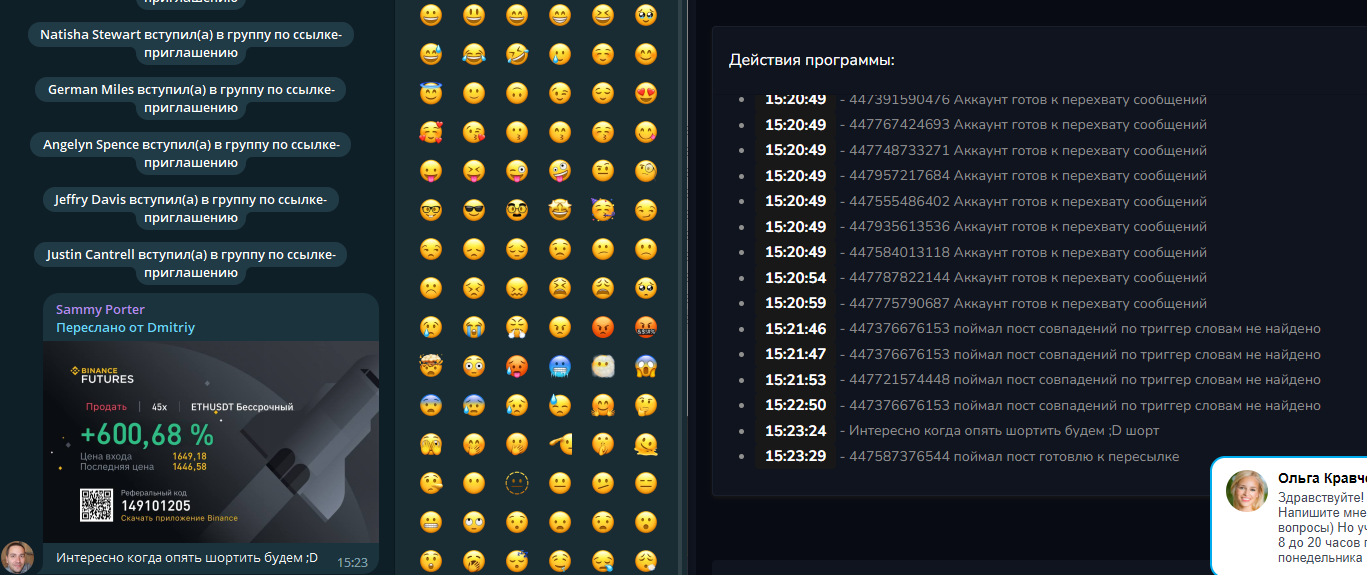
As we can see, depending on the scope and completeness of our keywords, we can attract customers who are a good fit for us. It’s important to take these aspects into account.
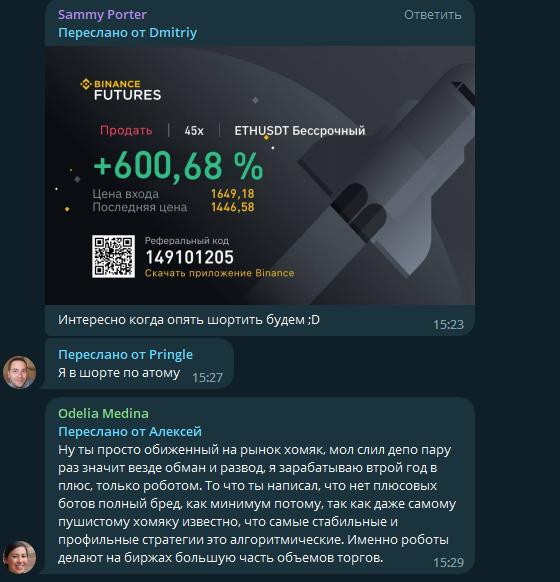
While I was writing, I received another message. It was only 10 chats, and they weren’t the most active ones.
All of this work was done to demonstrate the logic and functionality. If you’re interested in step-by-step case studies on how we’ve used the interceptor in our work, let us know in the comments, and we’ll prepare a separate article.
Don’t forget that you can find even more helpful articles in our knowledge base.