Dear readers, this article was written in response to 190 questions received over the past week about which computer to choose for working with Telegram Soft, given that we all have different hardware, including even Mac computers.
There are a few points worth noting. First, we do not guarantee compatibility with a virtual MacOS environment, especially on M1 chips. Given that even on Windows-based hardware there are unpredictable and significant differences, Mac is currently not supported at all. We’re trying to develop a separate client for it, but that’s a story for another time.
Who else might find this article useful?
- For users whose main PC isn’t powerful enough.
- For users whose main PC is overloaded and who need a place to work with Telegram Prime.
- For those who want to work from a phone, tablet, or any other device capable of connecting via RDP.
Let’s move on to the main question: what hardware is best suited for Telegram Soft? RAM consumes the most resources, while the processor plays a secondary role. A high-end processor and 1 GB of RAM might not be enough.

My personal recommendation is a machine with 8 GB of RAM and 4 cores for a smooth experience. 3 frames per second isn’t exactly ideal for working, just so you know.
I recommend choosing a Windows Server from 2016 or later—the newer, the better. 2019 is the ideal option. In my experience, the cheapest servers are offered by “VDSina—the First Professional Hosting Provider of Cloud VPS/VDS Servers.” The company offers Telegram Soft customers a 10% discount.
My advice is: if you have the opportunity, get a self-service ATM. They're very easy to use and don't require any extra effort to deposit or withdraw money.
If you're interested, here are the instructions:
- Go to the VDSina website—the leading professional hosting provider for cloud VPS/VDS servers.
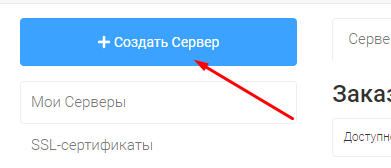
- Click the "Create" button.
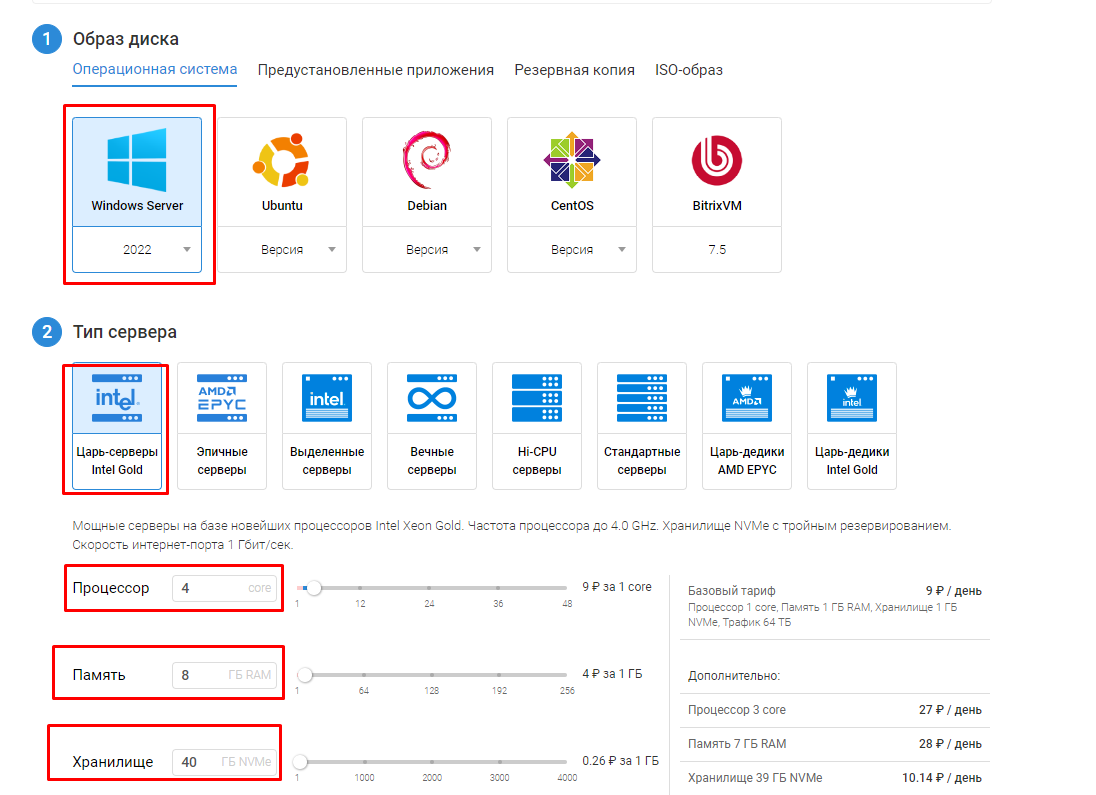
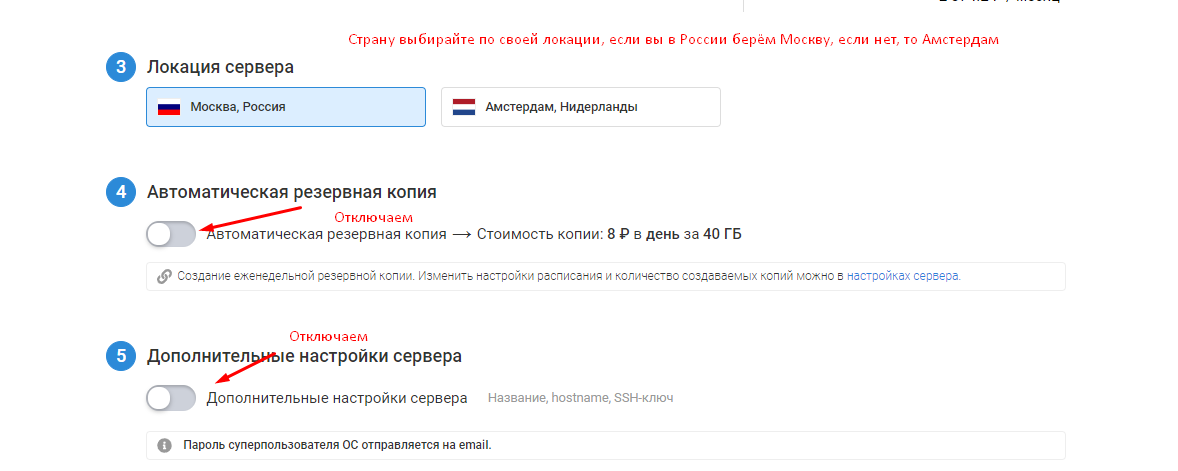
And then click "Create"

Don’t forget that the VDSina website has many other helpful articles. You can find them in the guide index.