Telegram Prime supports both IPv4 and IPv6 proxies, including HTTP/S and SOCKS4/5. You can use proxies with rotation based on a link or on-demand rotation, which means that every time you start using an account (logging in, sending messages), a rotation will occur, and each new account you connect will use a new IP address (if allowed by the proxy provider).
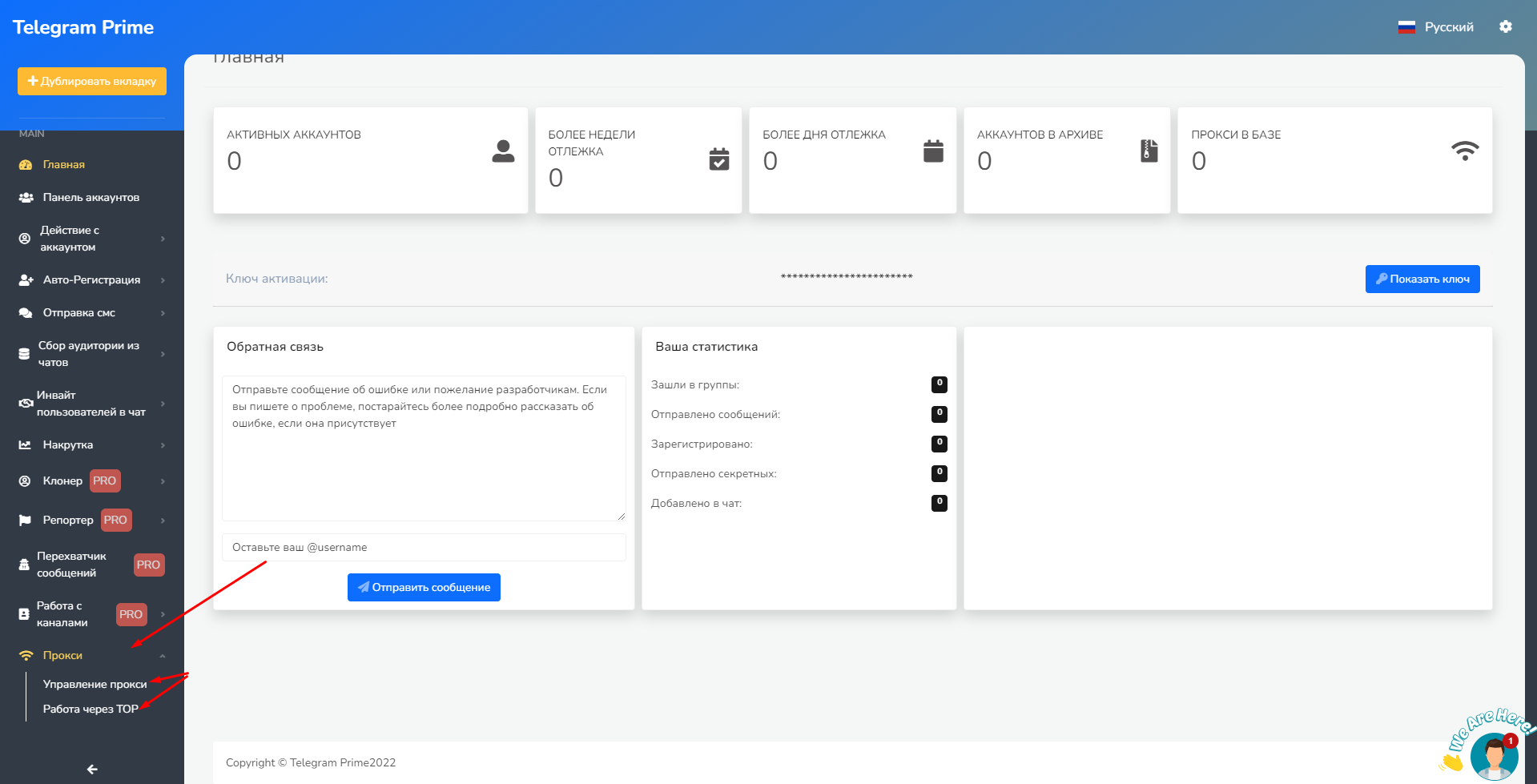
Now let’s move on to the topic of this video, as stated in the title. The proxy section is located in the “Proxy Management” menu. If you want to use Tor, that will be covered separately for more advanced users
.
Scroll down the page, and you’ll see a window for adding a proxy. You can purchase high-quality proxies here—Telegram contact
Click the “Add Proxy” button and, if you wish, run a check.
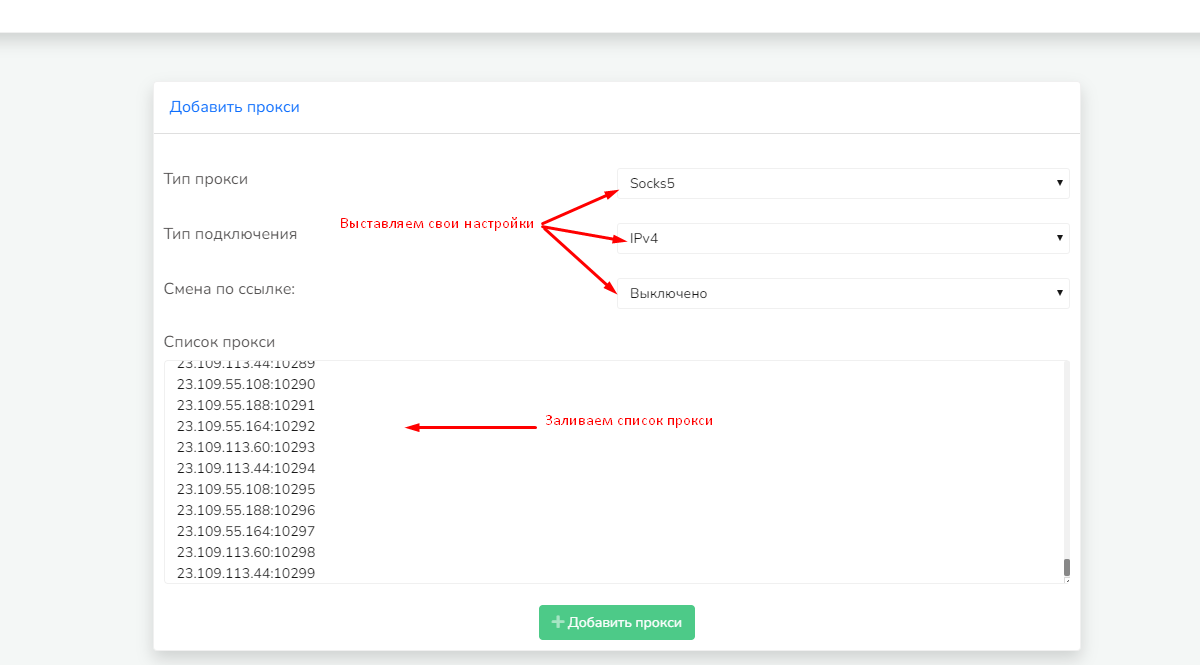
The proxy
Формат прокси, а именно как вставлять -

{domain}:{port}:{login}:{pass}
{domain}:{port}
{ip}:{port}:{login}:{pass}
{ip}:{port}{domain}:{port}:{login}:{pass}
{
domain}:{port}
{ip}:{port}:{login}:{pass}
{ip}:
{port}
You can use any of the options listed above.
Don’t forget to check out more helpful articles in the “Guide Index.”