To add a proxy to Telegram Prime, go to the “Proxies” section, located at the bottom of the app’s side menu.
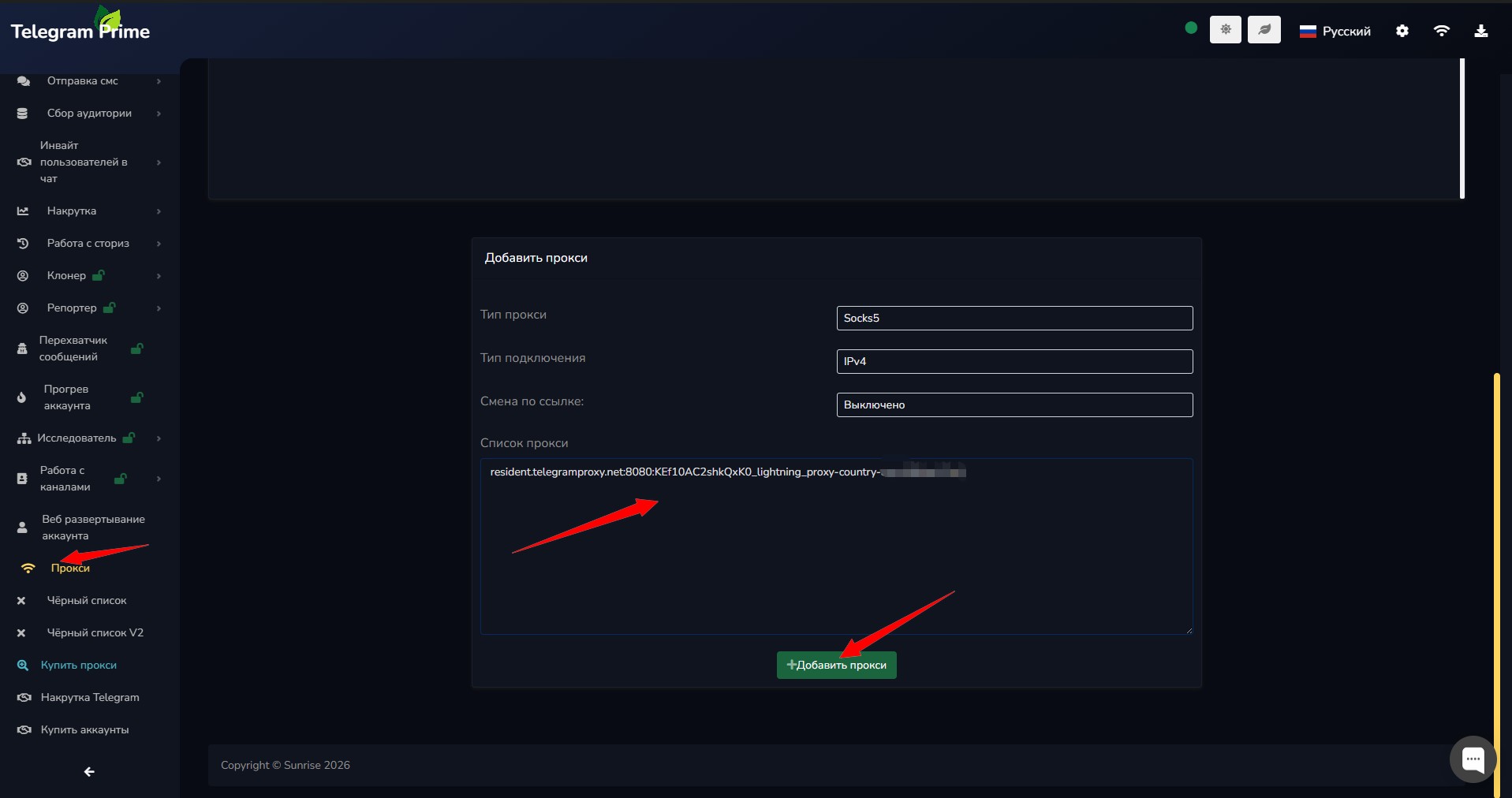
Select the desired proxy type (protocol), then tap the “Add Proxy” button. After that, the proxies will be loaded into Telegram Prime.
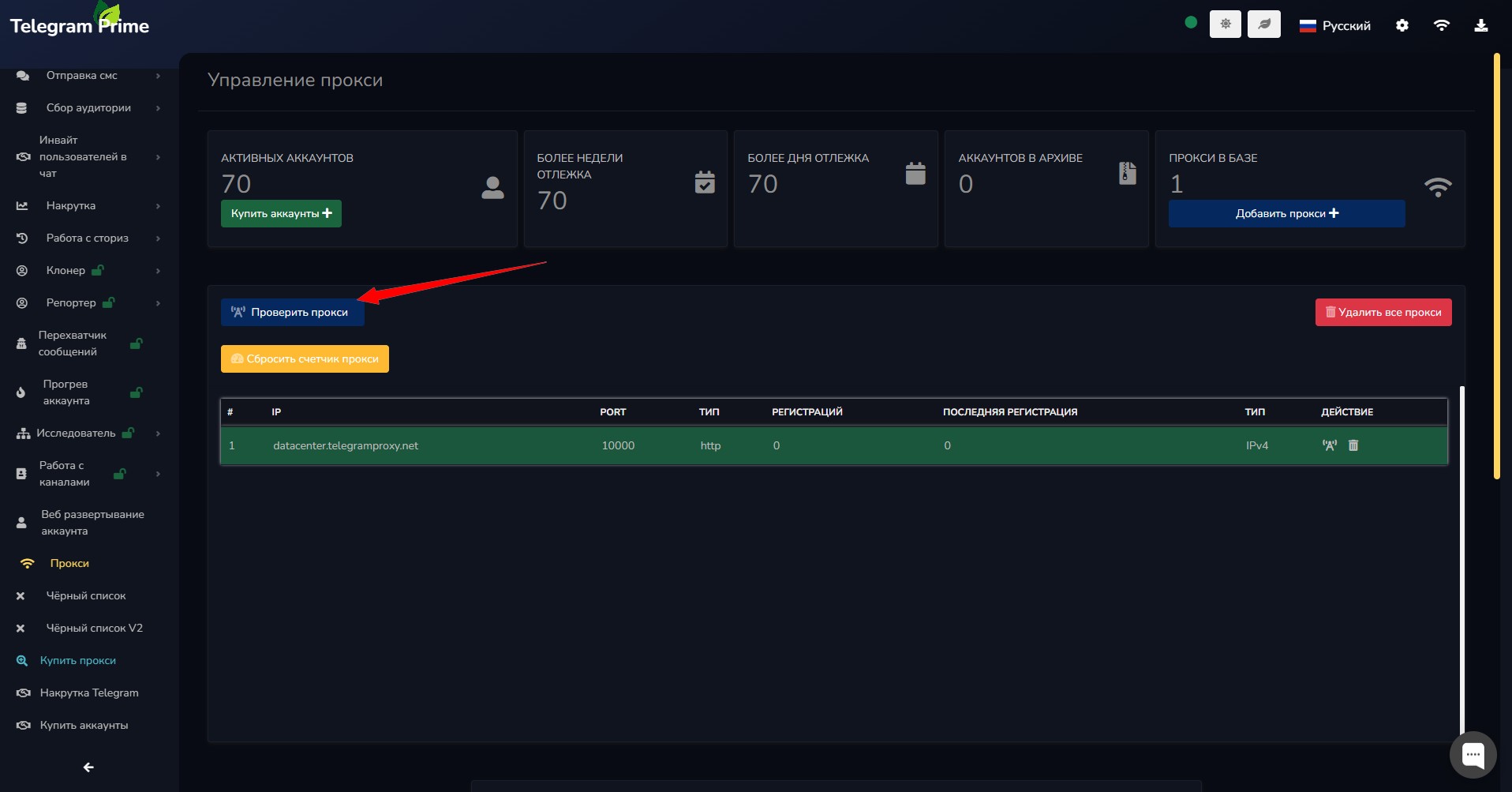
Next, you can check if they’re working by clicking the “Check All Proxies” button. Working proxies will be displayed in green, and you can safely use them.
If proxies fail to connect or are configured incorrectly, they will be displayed in red. It is recommended that you delete such proxies or verify that they were entered correctly.
Video: How to Add Proxies in Telegram Prime
Watch a detailed video tutorial on adding and checking proxies:
Important: The effectiveness of your work on Telegram Prime directly depends on the quality of your proxies.
Good proxies allow you to increase your workload, improve stability, and significantly boost the number of broadcasts, invites, and other actions without the risk of being blocked.
When using high-quality, spam-free proxies, Telegram accounts last much longer and operate more reliably.
We recommend using only verified proxies. You can get the highest-quality options from our manager—telegram-contact.