Preparing to Register Telegram Accounts
First, you need to sign up for any SMS service that our software supports. As of this writing, our program is integrated with 14 different SMS services. You can also add your own SMS service, but it must use the SMS-Activate protocol. I’ll explain how to register accounts through your SMS provider a little later; for now, let’s get back to our task. So, we can use any service, but I prefer to work through sms-activate.org. We sign up for the service and deposit funds into our personal account on the website; as numbers are issued to us for account registration, funds will be gradually deducted from your account. For mobile numbers that didn’t receive codes or didn’t result in account registrations, the money for those numbers will be refunded to your account on the SMS service . We also need to register on this website, reghelp.net. This service will issue Push tokens and email addresses; without them, it’s currently impossible to register Telegram accounts. Each Push token costs 1.5 rubles, and the price for an email address is the same. After registering, you need to top up your account on this service. Then, copy the API key, go to the Telegram app, and paste the API key there.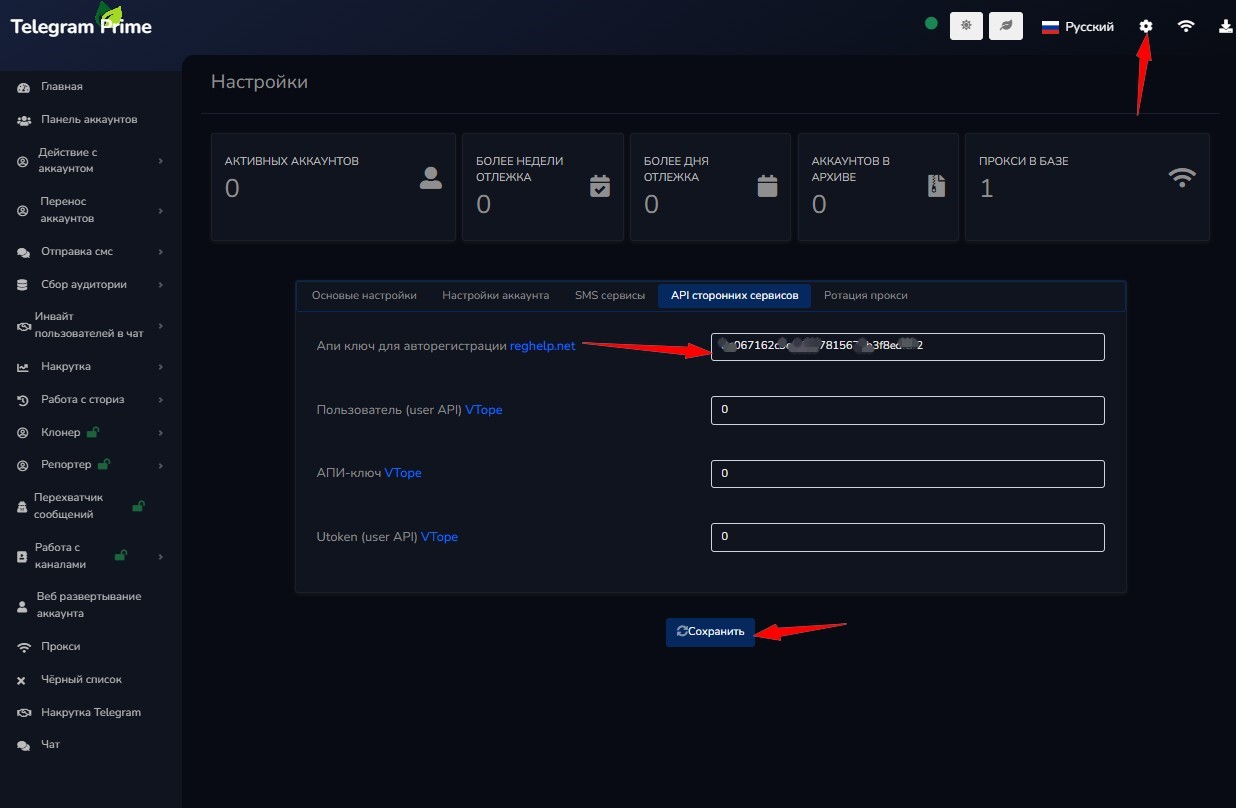 To use our program and register Telegram accounts, we recommend using high-quality proxies—preferably residential ones that change IP addresses with each connection or on demand. You can purchase high-quality residential proxies here; these proxies have been tested over time and have never failed us. Next, copy the API key from SMS Activator; you can find it here:
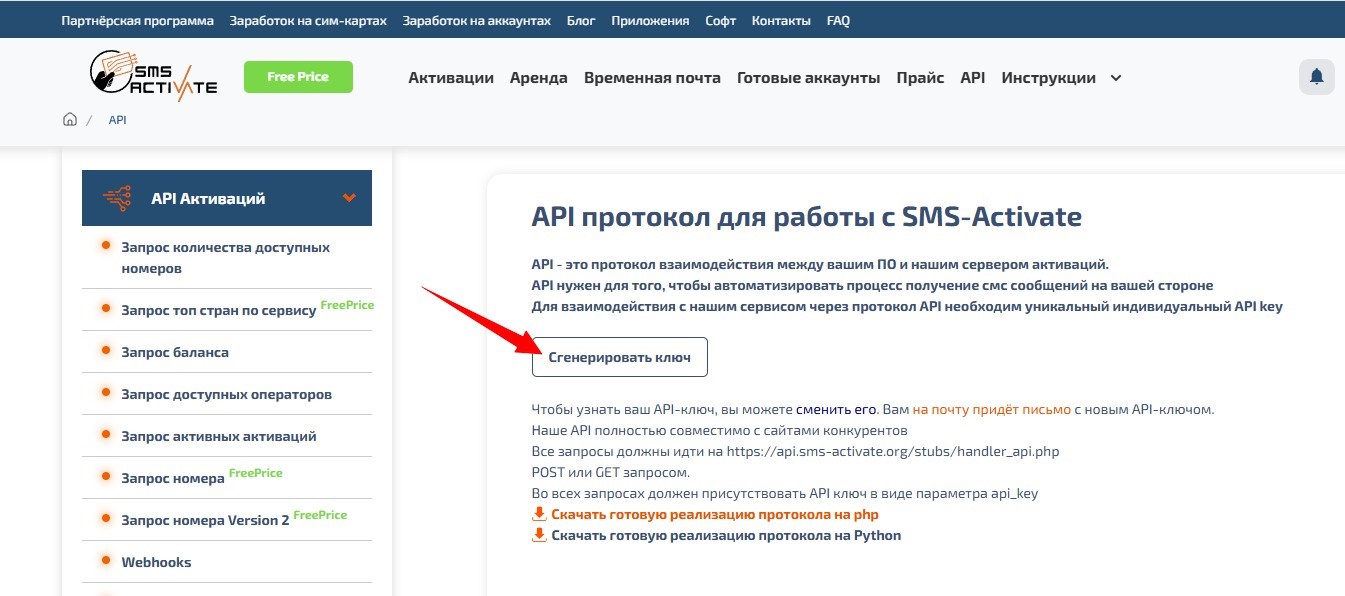 Now open the software, click the main settings icon
in the top-right corner, select your SMS service, and paste the API key into the field—don’t forget to click the “Save” button.
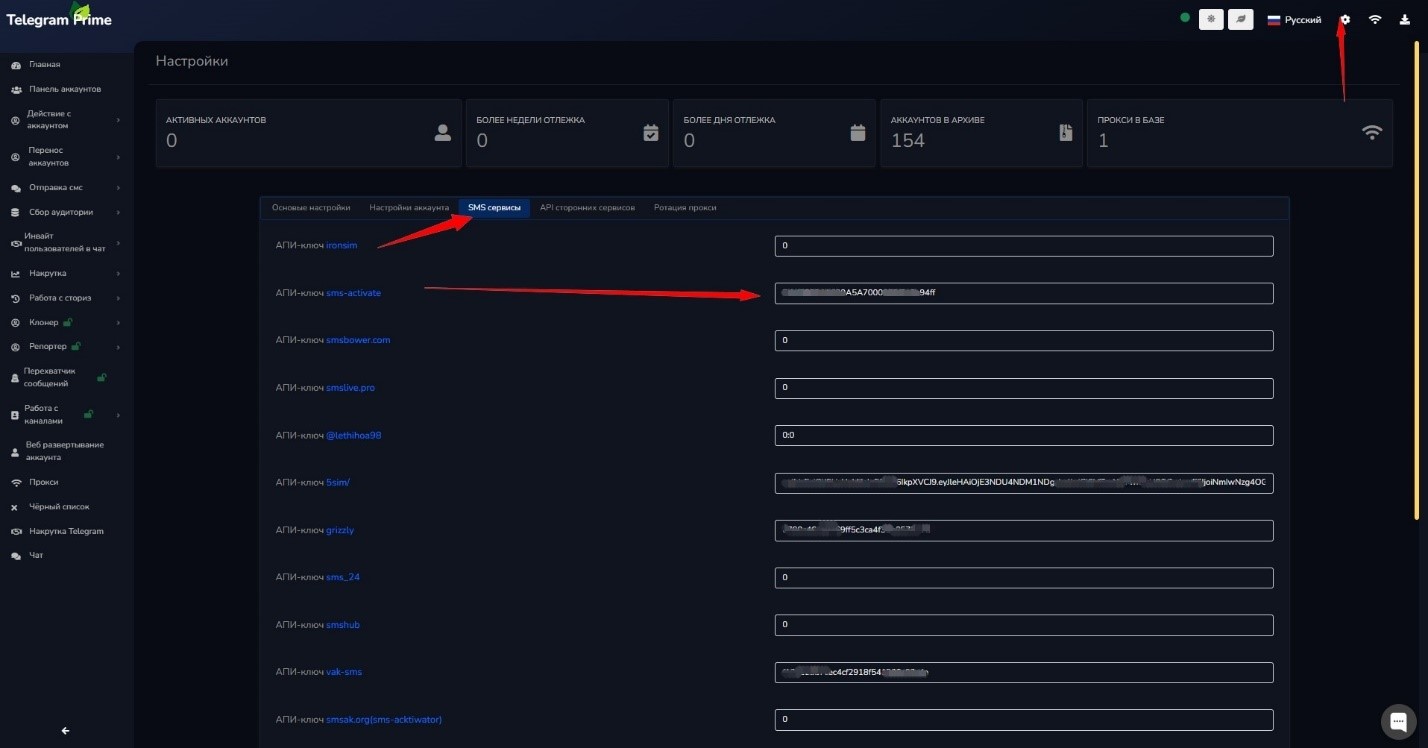 Next, navigate to the program’s root directory—it’s usually installed by default at this path: C:Program Files (x86)Telegram-Prime-Beta. Then open the settings/autoreg_profiles folder and check for a text file containing pre-configured settings for account registration. If this file isn’t there, you can download the latest version from this link and place it right here.
Selecting settings in the software for registering Telegram accounts
So, the setup is complete. Now let’s open the program itself and go to the registration tab, where we need to configure a few more settings.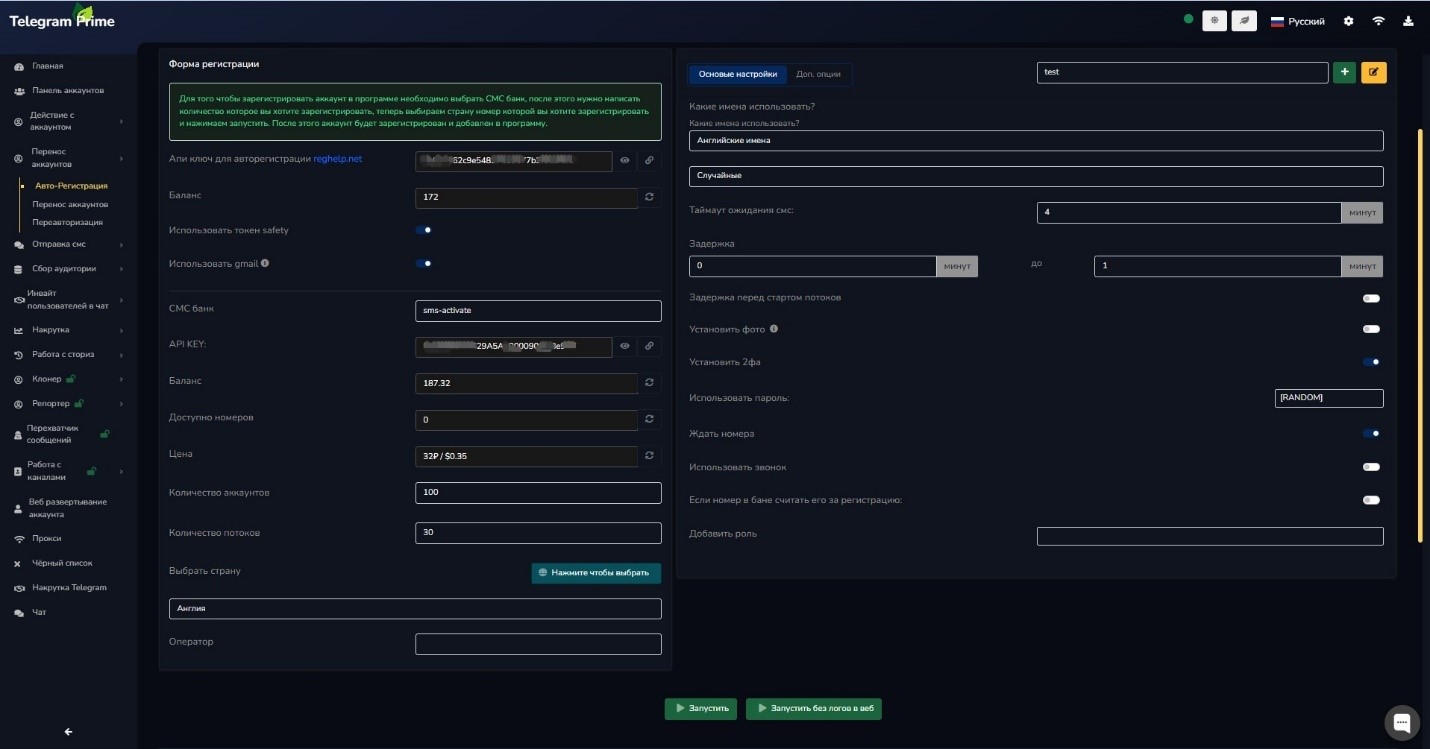 I set the registration settings as shown in the image above. Be sure to check the following boxes: — Use a safety token
— Use Gmail This is now required for account registration.
I select my service—in my case, SMS Activate—then choose the country where I want to register accounts; for me, that’s England. Accordingly, the geographic location of your proxies must also be England. In other words, the proxy’s geographic location must match that of the phone numbers you plan to use for registration. In the top-right corner of the program, click the “Additional Options” button.
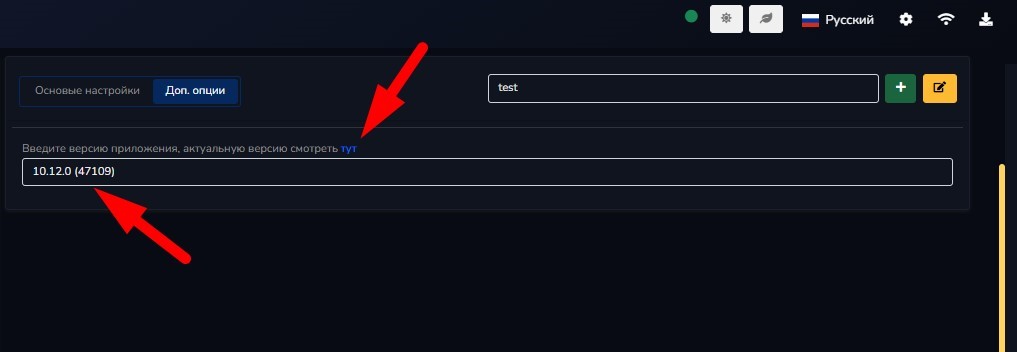 You need to specify the latest version of the app. To find it, follow
this link—the link is also available right here in the software. Then, click the link at the very top and select the latest version of the app.
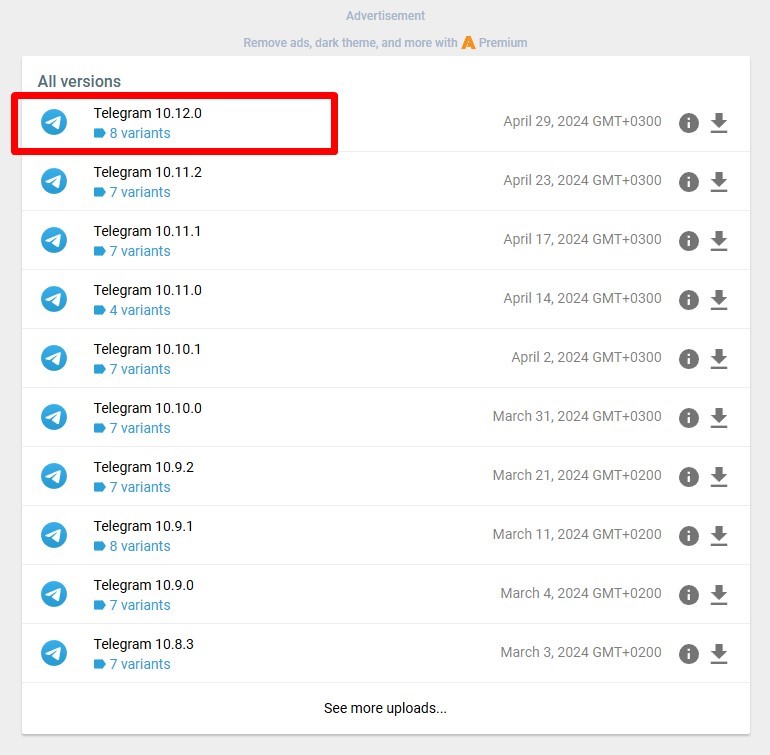 Click it, and you’ll end up right here, where you’ll see the bottom line with the structure and these numbers:
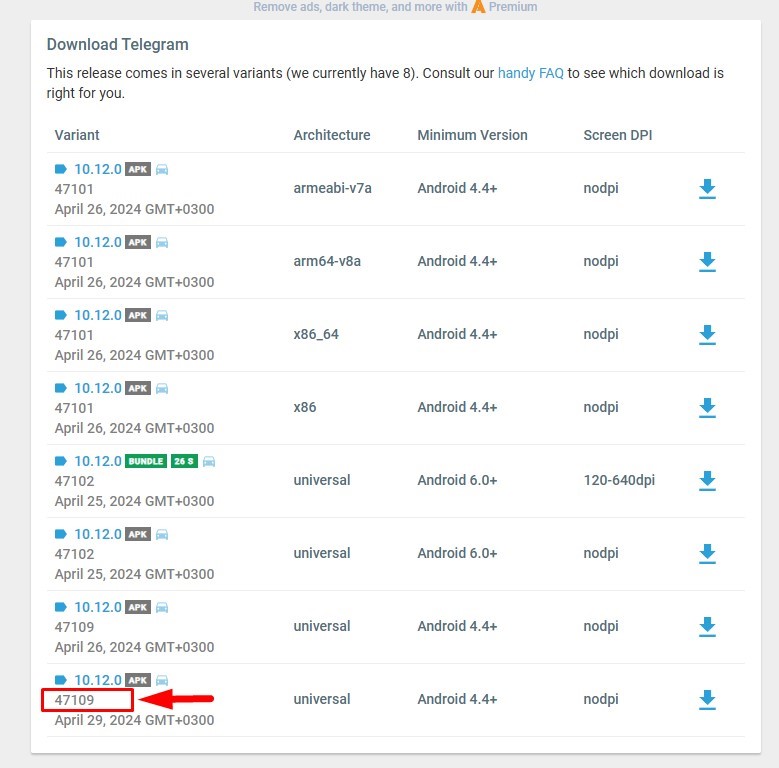 Enter them in parentheses
, and you’ll get something like this: 10.12.0 (47109)
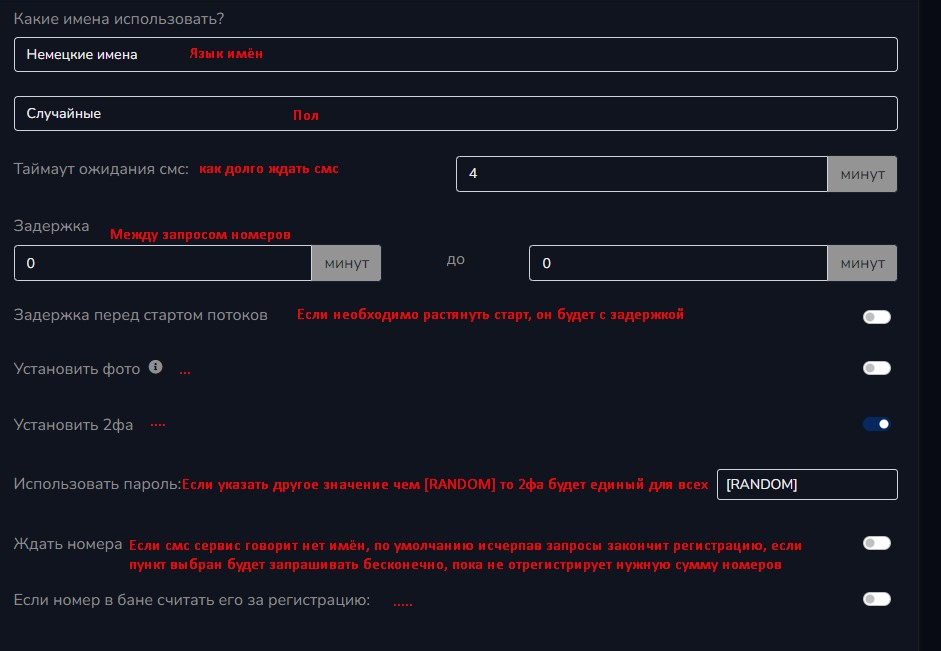
Congratulations, you’re the best! Now you can register or keep reading. Explanation of individual settings for beginners:
 Next, simply click the “Start” button to begin
automatically registering accounts in the Telegram Prime program. At the bottom, you can monitor the registration process in the program’s logs.
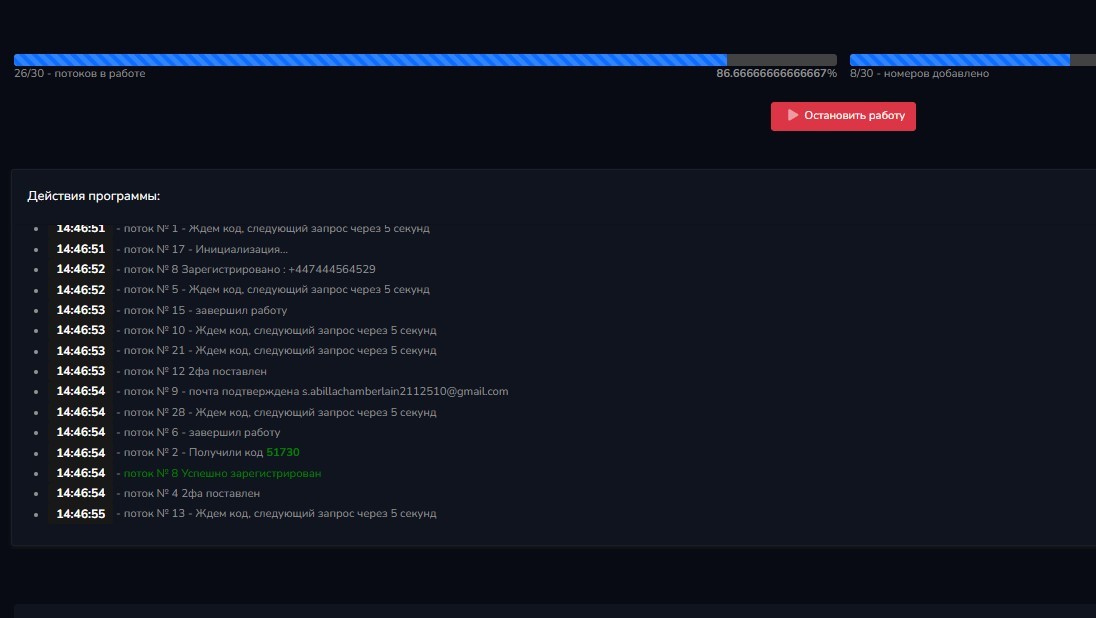 As you can see, Telegram accounts are successfully registered in our software. Similarly, if you go to the SMS Bank website and click “Activation” in the top menu, you’ll see the mobile numbers that the service has assigned to us. Usually, if a code has been sent to a number, it means the account has been registered.
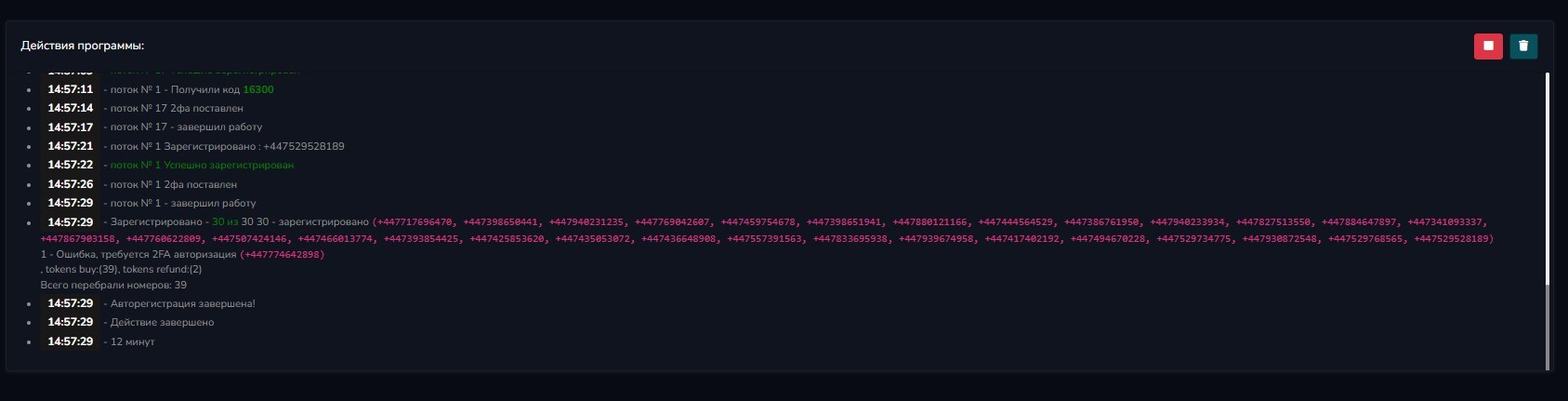
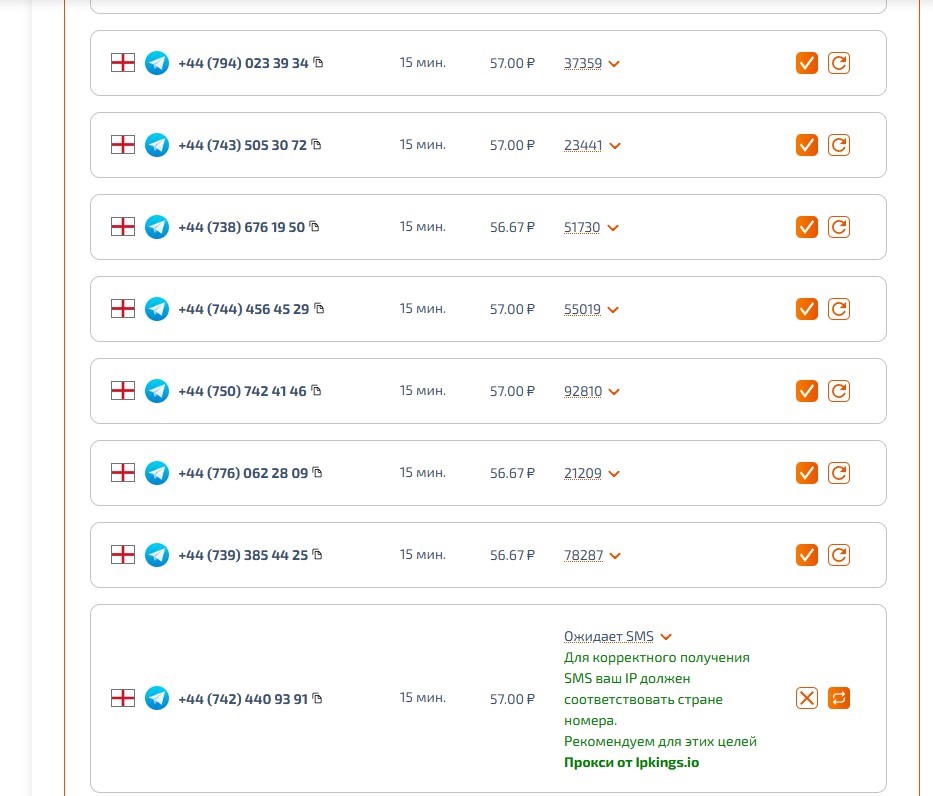 However, sometimes there are numbers that already have 2FA (two-factor authentication) enabled; codes are still sent to these numbers, but the account isn’t registered, and the money is debited precisely because 2FA is enabled. Once the registration process is complete, the program will show in the logs
which numbers were used to register accounts and which numbers had a 2FA error; we recommend that you save this information separately in a text file. Then you can send an SMS to support saying “activate” and ask them to refund the money for those numbers to your account; they usually do.
Video tutorial on registering Telegram accounts