Checking Phone Numbers for Telegram Accounts in Telegram Prime
Phone number checking is a convenient feature of Telegram Prime that lets you scan your list of phone numbers and find out which ones are associated with a Telegram account. It’s a very useful tool for building your target audience, sending newsletters, and marketing.
Below is a detailed step-by-step guide.
Step 1: Go to the desired section
Open Telegram Prime and go to the “Audience Building” → “Phone Number Checker” section.

Step 2: Upload your phone number database
On the left side of the program, there’s a field for uploading your phone number database. You can:
- Enter numbers manually
- Upload from a file (using the “Import from File” button)
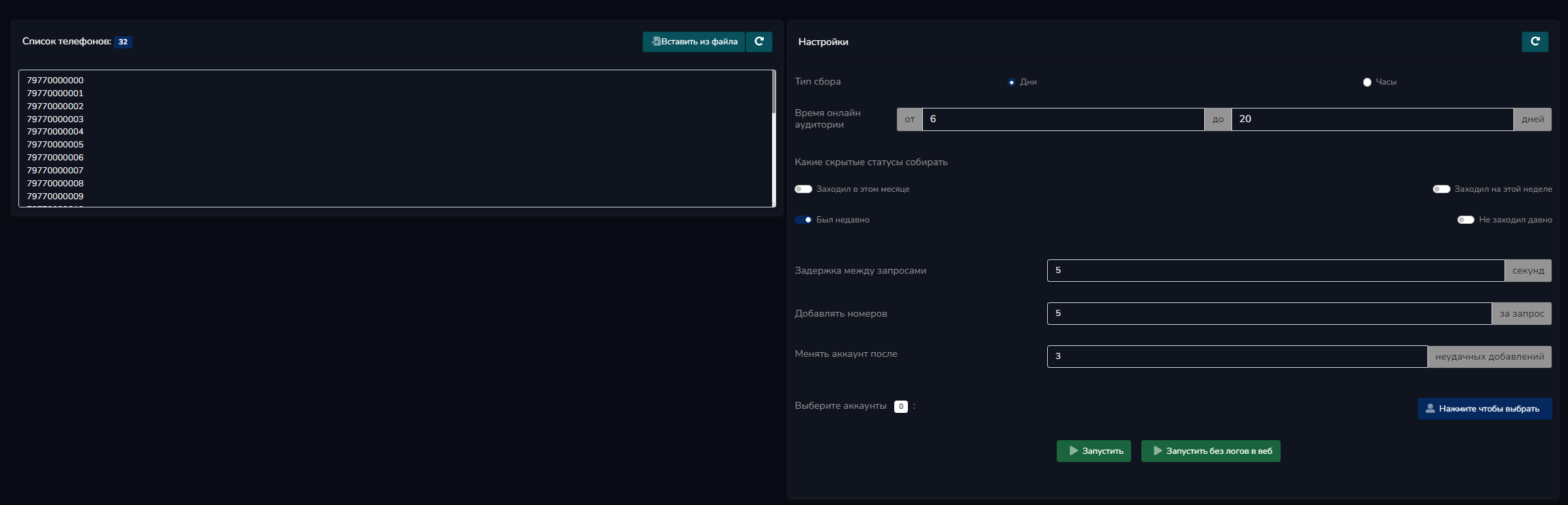
Step 3: Configure the settings
The checker settings are on the right. We recommend keeping the default settings—they are the best:
- Collection Type: Days
- Online audience time
- Delays between requests
- Number of numbers per request, etc.
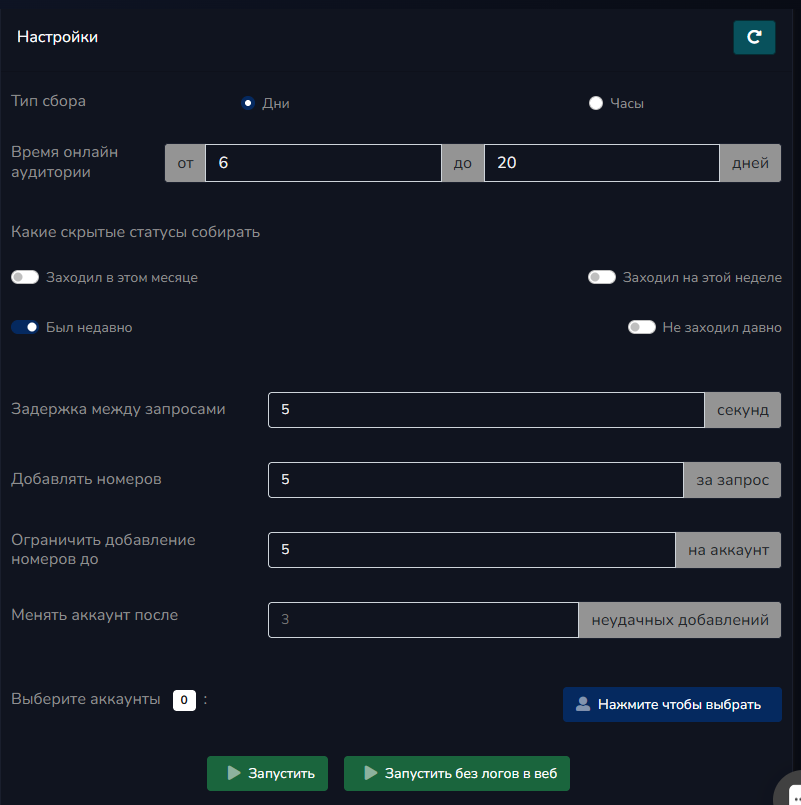
Step 4: Run the check
After loading the database and configuring the settings, click the “Start” button.
The program will begin checking the numbers. The speed depends on the number of accounts and their quality (on average, 1 account checks ~30 numbers).
Scan results
Once the process is complete, you will receive:
- A list of Telegram numbers
- A list of usernames—these are the ones you can use in the app
- User IDs and phone numbers

Important note: Not all accounts have a username. In such cases, the program will display only the User IDs—you can use these for manual processing.
It’s also worth noting that you can send messages directly to phone numbers, even without a username.